Overview
Not every patient has baseline vital parameters recorded at the time of registration — it depends on how busy the counter is and who happens to check. This kiosk closes that gap by capturing height, weight, and vitals digitally for every patient at the point of registration, whether they are walking in, wheeled in, or brought on a trolley.
What it captures
- Height and weight
- Vital parameters (the full set a patient would otherwise wait for a nurse to record)
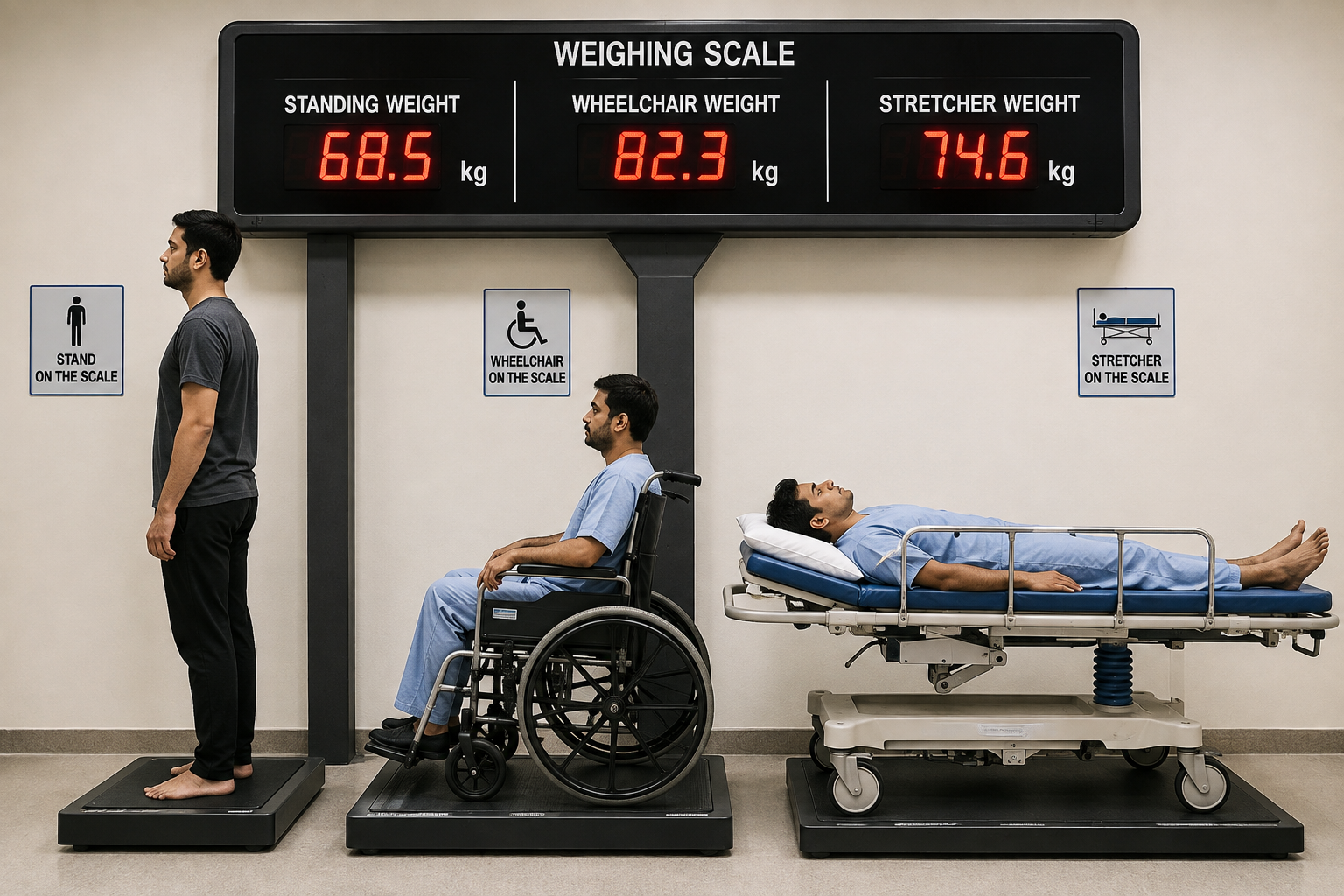
A single "weight" field on a registration form assumes every patient can step onto a standard scale — which is exactly what breaks down for a patient who can't stand unsupported or who arrives already lying down. This is the piece of hardware that makes "captures height and weight for every patient" actually true: a standing platform for walk-in patients, a wheelchair-rated platform that weighs the patient and chair together (with the chair's tare weight subtracted), and a stretcher-rated platform that does the same for a patient on a trolley. Whichever mode a patient arrives in, the kiosk records a real weight — not a guess, and not a blank field.
Where the data goes
Every reading is logged to the database automatically, and the captured vitals are printed directly on the patient's registration slip — so the treating doctor has them on hand at the very first consultation, without waiting on a separate vitals check.
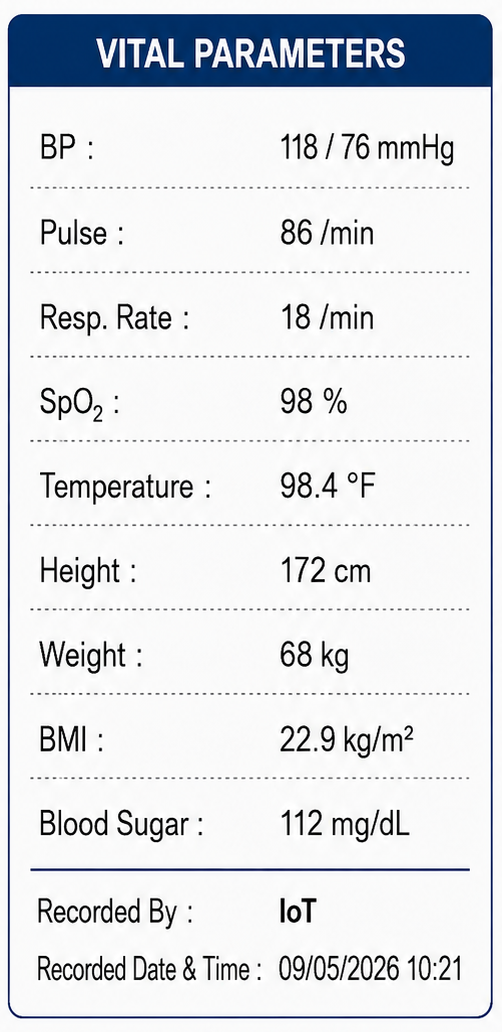
This is the actual shape of what reaches the doctor: nine structured values — blood pressure, pulse, respiratory rate, SpO₂, temperature, height, weight, a calculated BMI, and blood sugar — each one a discrete labelled field rather than a line of prose, along with who (or what) recorded it and exactly when. The Recorded By: IoT tag matters as much as the numbers themselves: it lets the record — and later, any model trained on it — distinguish a kiosk-captured reading from one entered by a nurse or typed in by hand, which is exactly the kind of provenance a structured, module-tagged dataset (like the sample dataset) depends on.
Scope
Proposed for deployment at both OPD and Emergency registration, alongside a hospital's existing electronic HIS/registration workflow. Also includes an AI-based triage-scoring layer built on top of the captured vitals — not automated capture alone.