Where this fits
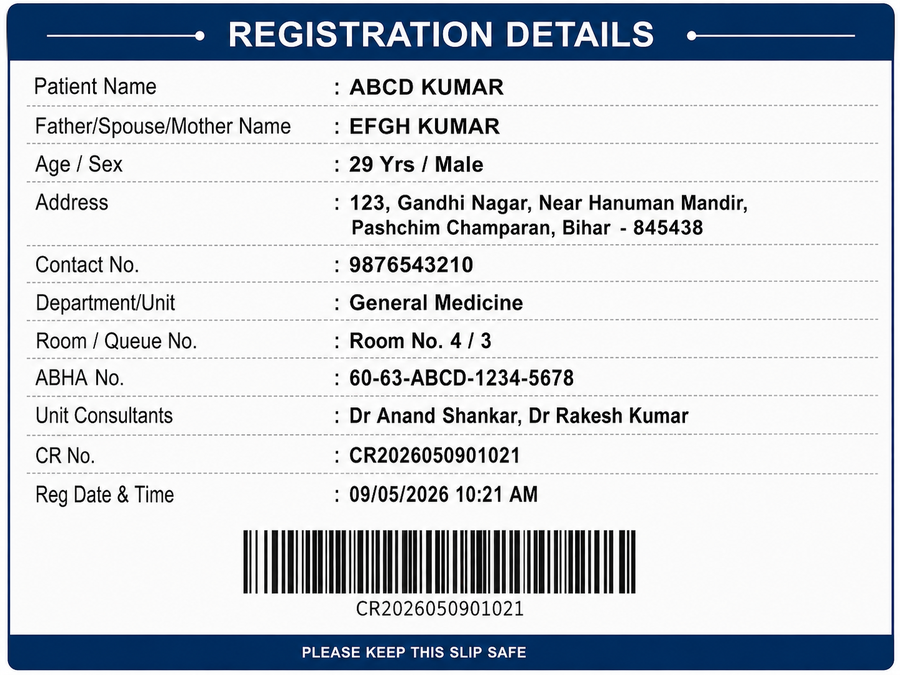
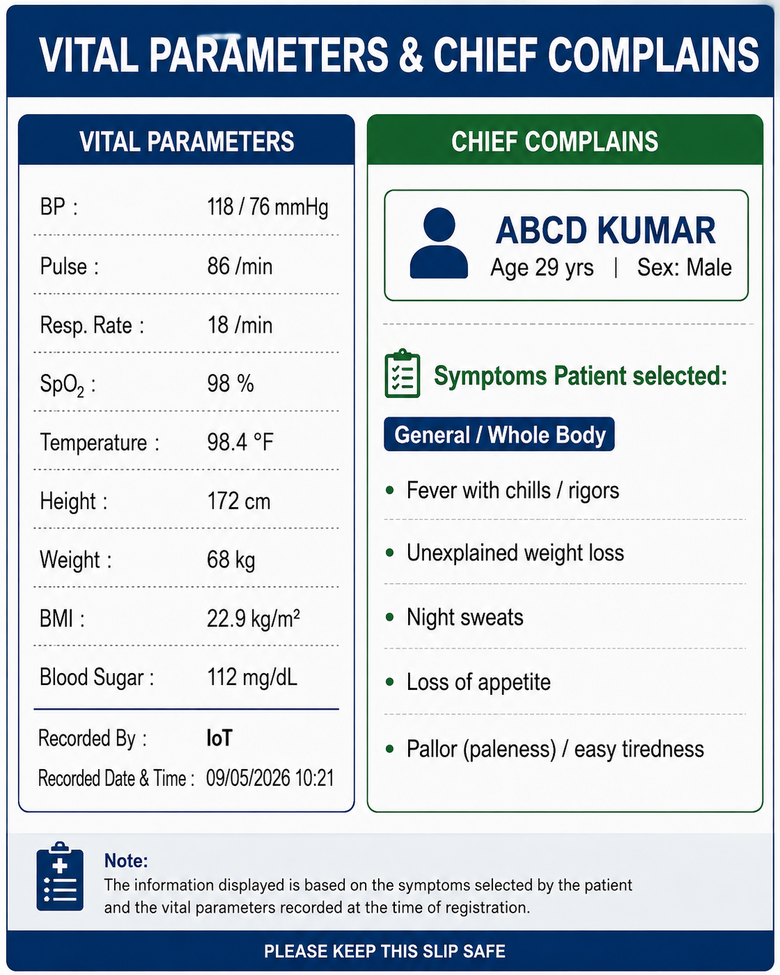
These slips aren't a separate data-entry step — they're the output of two modules that already ran. Registration captures who the patient is; the Vitals IoT Kiosk captures their height, weight, and vital parameters and records which symptoms they selected. As soon as both are in the system, it prints these two slips automatically, with nothing further for staff to type.
The two slips
Sample data shown below — this is what the patient (or attendant) physically carries from the registration counter to the doctor's chamber.
Why print both
The doctor starts the consultation already knowing why the patient has come and what their vitals are — instead of asking from scratch and writing it all down by hand. The barcode on the registration slip also means the same record can be pulled up digitally at the doctor's desk, rather than re-typed.
Where this data could go next
The symptoms and vitals on this slip are exactly the fields a triage-prediction model would need — nothing from later in the visit, since neither the doctor's exam nor any investigation has happened yet at this point.
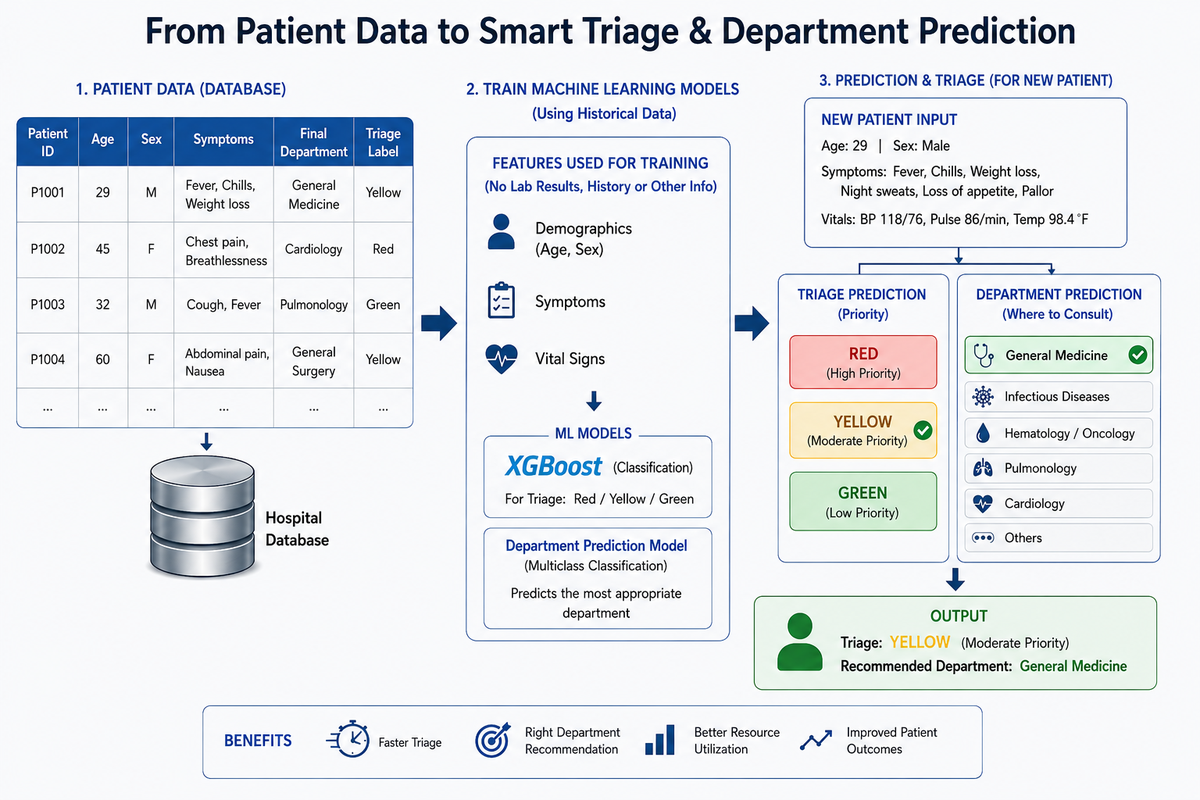
Age, sex, symptoms, and vitals — the same fields on this slip — train two separate models: an XGBoost classifier for triage priority (Red / Yellow / Green), and a multiclass model for which department the patient should be sent to. For a new patient, the same fields captured at registration and the vitals kiosk are fed into both models, producing a triage priority and a recommended department before the patient even reaches the doctor. This is illustrative architecture, not a trained system — it would need real, accumulated slips like this one to actually train on.